Website basics
Locate the stage where a website fails to open

“The site will not open” can describe several different failures. Record the exact URL and first error before changing settings.
On this page
Compare the addresses
Check hostname, scheme, and path. If the homepage works but one article fails, preserve that distinction. Try the operator's published address directly.
Identify the failure stage
Name-resolution errors point toward DNS, certificate warnings toward HTTPS, and an HTTP error page toward the web response. These are starting points, not final diagnoses.
Change one condition at a time
Try another browser or an authorized network with the same URL and authentication conditions. Do not bypass workplace controls; report the differences to the responsible administrator.
Compare operational evidence
For your own site, review the latest deployment, DNS edits, and provider status. Identify the change before attempting restoration. A useful report includes the URL, time, exact error, and conditions already tested.
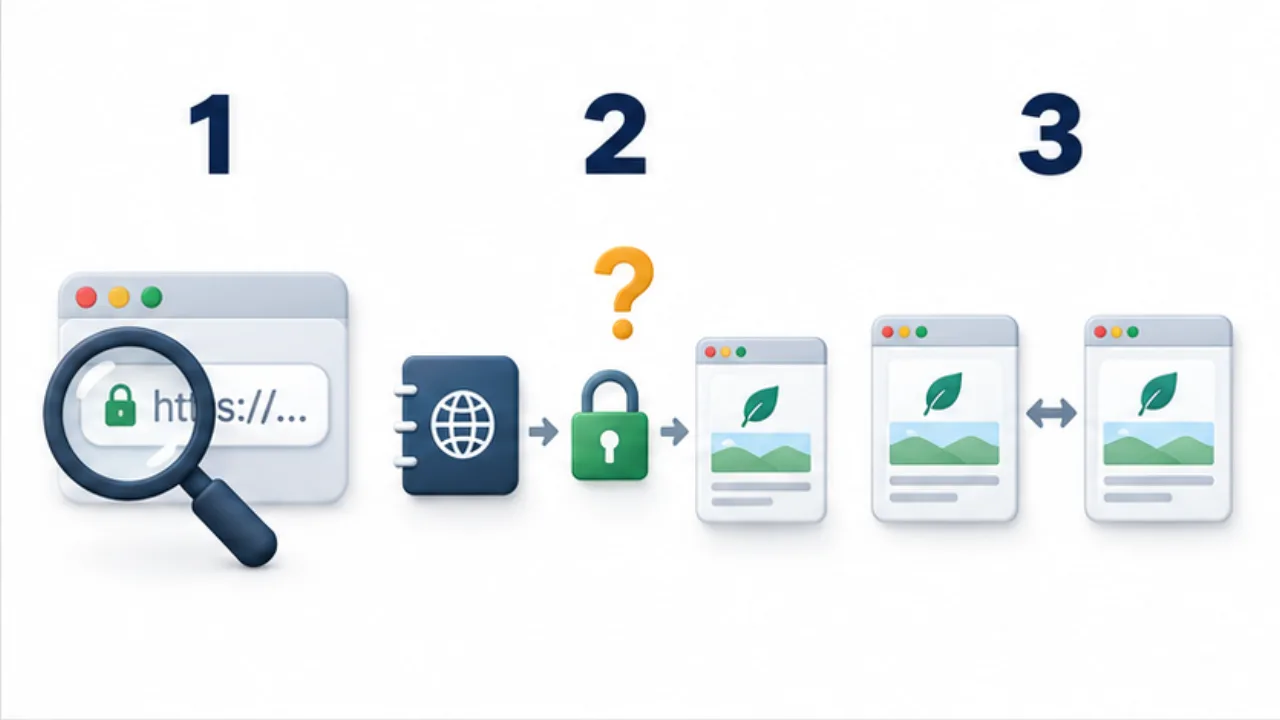
Select the image to enlarge.
- Check the intended hostname and article path.
- Identify whether failure occurs at DNS, HTTPS, or the web response.
- Compare the same URL in another permitted browser or network.
Narrow the scope before changing settings
Separate failure of the entire site from one page or one device. That scope tells you what comparison will be informative. Compare homepage and article behavior, or two browsers, while keeping the address and authentication requirements clear.
Record the first error and time before making many changes. Otherwise the original symptom may become difficult to reproduce. Operators can review publishing or DNS changes; visitors can preserve the link and account context they used.
Example: only an old search-result article fails
Suppose an article linked from search will not open while the homepage works. Record the failing URL and look for the same article through the site's current navigation.
If it exists at another address, investigate whether the old entry has appropriate handling. A visitor may reach the content through the current list, while the operator has a separate task of reviewing the outdated entry.
By contrast, if homepage and article requests both fail with the same name-resolution error, inspect the connection stage before editing article content. The phrase “will not open” describes different work depending on scope and error.
Keep newly discovered unrelated issues separate from the original symptom so the investigation remains understandable.
Write an actionable report
| Item | Information |
|---|---|
| Target | Complete address attempted |
| Time | When the failure occurred |
| Symptom | First error message or screen |
| Comparison | Difference from working pages or devices |
| Actions | Tests already performed and their results |
This gives the responsible person more than a request to try again. If the failure occurs only on a managed network, provide that comparison to its administrator rather than changing restrictions without authorization.
After resolution, record the relevant correction. That creates a useful starting point if the symptom returns, without treating every future failure as necessarily having the same cause.