Website basics
Verify a DNS change at three separate layers

Saving a DNS record does not prove that every resolver or the website itself is ready. Record dashboard state, DNS answers, and web behavior separately.
On this page
Keep the previous configuration
Record the changed name, type, value, TTL, proxy state, and time. Know the restoration path and any affected mail or other services before stacking further edits.
Confirm the active authority
Check that the domain's nameservers correspond to the zone you edited. A correct-looking record in an inactive provider does not establish the public answer.
Separate caching from mistakes
TTL affects how long DNS answers can be cached. Waiting does not repair a wrong name or value. Record the resolver, time, and response; lowering TTL afterward does not instantly remove answers already cached.
Test the website independently
Correct DNS still leaves hosting-domain configuration and HTTPS to verify. Check the page, certificate warnings, and important links. If the issue persists, hand over the observations and exact change record rather than only saying it has not propagated.
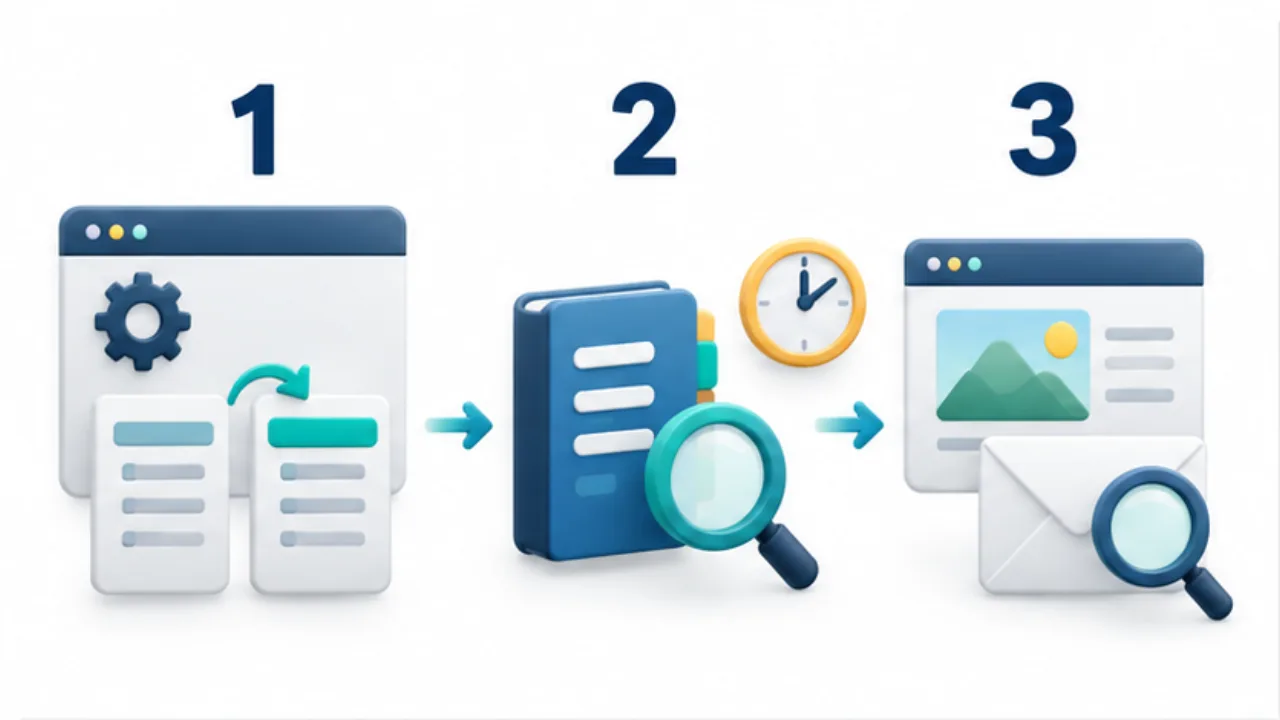
Select the image to enlarge.
- Verify the active DNS provider and the before-and-after values.
- Record the resolver and time, then inspect its response.
- Check the intended website and other affected services.
Use the same name at every layer
Keep the target consistent across the dashboard, DNS query, and browser. Editing a www hostname while testing the apex can compare different configurations. Record the complete hostname and record type, then associate the browser URL with them.
“Waiting for propagation” does not identify where older information remains. Keep the saved configuration, observed DNS answer, and displayed page as separate observations.
When they differ, those records help investigate a target mismatch, caching, or the publishing state without treating everything as one delay.
Example: verify a move to another host
Suppose you changed the DNS entry specified by a new hosting service. First confirm that the edit happened at the active authority and review the type, name, and value. Then record a DNS query result with its time.
If the answer is expected but the browser still displays old content, investigate the published revision, web caching, and hostname mapping instead of repeatedly rewriting DNS. If a certificate warning appears, inspect that warning and the name involved.
Different symptoms require different next checks. Grouping all of them under “not updated yet” makes unnecessary edits more likely.
Preserve the basis for the next decision
| Record | Details to retain |
|---|---|
| Change | Target name, type, before and after values |
| DNS observation | Resolver, time, returned information |
| Web observation | URL, content, and warning |
| Next decision | Continue observing, investigate another layer, or apply a defined restoration condition |
If restoration becomes necessary, use the recorded prior values and limit it to the intended target. Reconstructing the original state from memory after several edits is harder.
TTL helps interpret caching conditions; it does not correct a wrong name or value. Base the choice between waiting and correcting a configuration on observed evidence.
This produces a useful handoff for another operator: both the change and the exact unresolved behavior are visible, without requiring that person to repeat every earlier step.