Website basics
Separate the roles of domains, hosting, and DNS

Domain registration, hosting, and DNS may live in separate services. Map their roles before trying to fix a site.
On this page
Treat the domain as a name
Registering a domain does not publish HTML by itself. Record the registrar and the renewal responsibility.
Locate the content host
Hosting serves the site's files or application. A successful publish to the host's preview address and a working custom domain are separate checks.
Identify the active DNS service
DNS answers queries about names, including web and mail-related records. Changing a website's destination should not involve deleting unrelated records by guesswork.
Make an ownership map
Record the registrar, active DNS provider, hosting project, responsible people, and production URL. Store references to access procedures rather than passwords in this note. When something fails, identify the affected role before changing settings.
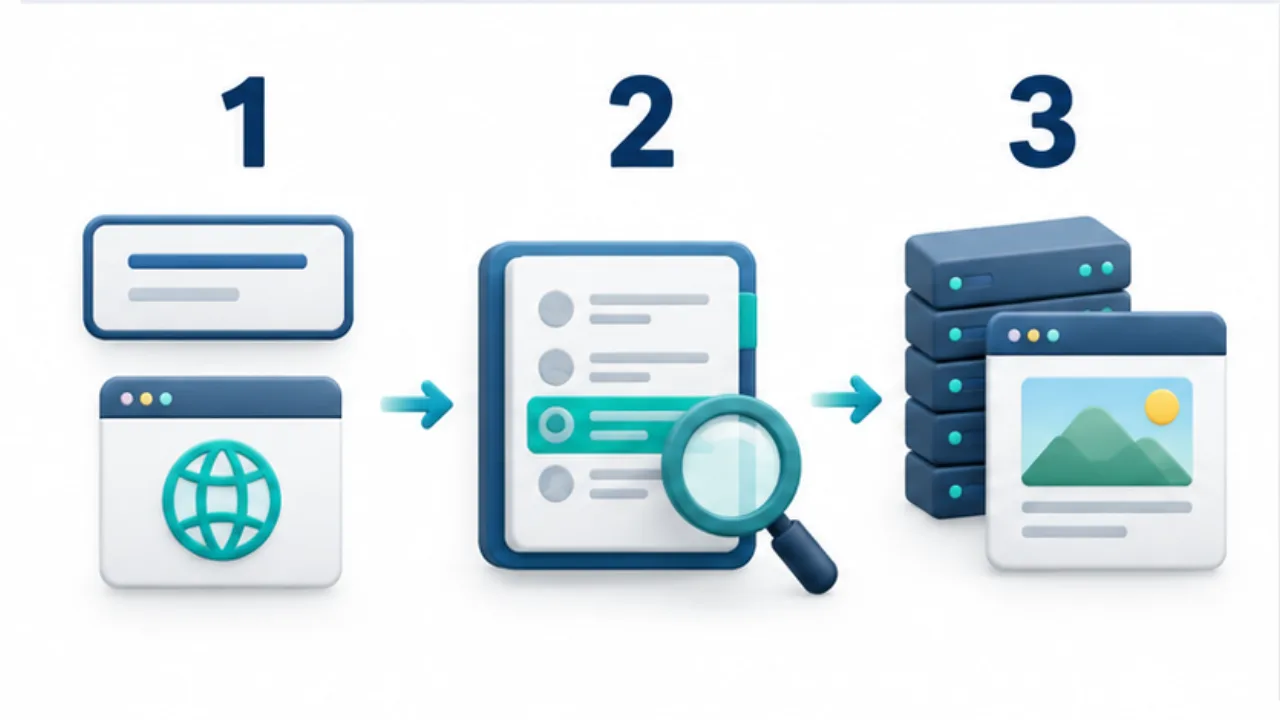
Select the image to enlarge.
- The domain is a name used for a website or email.
- DNS returns information associated with that name.
- Hosting serves the HTML, images, and other site content.
Separate roles even when one company provides them
A single dashboard can contain registration, DNS, and hosting, making their boundaries less obvious. Those boundaries become useful during migration or a change of responsibility. Sharing a login screen does not make every setting perform the same function.
Think in terms of the name, the information directing its use, and the published content. That separation helps avoid looking for a DNS change when the actual task is updating a paragraph.
It also makes a support request clearer: renewal responsibility, name resolution, and an outdated page are different starting questions.
Example: move only the website
Suppose email will remain with its current service while the website moves to another host. First review the site on the new publishing service and read its custom-domain instructions.
Then identify the active DNS manager and distinguish the web-related settings from mail-related records. Do not assume that changing the content host also requires moving the registrar.
List which roles change and which remain. Preserve the previous configuration and restoration procedure before the actual change. Afterward, verify the site through its public domain.
If continued email operation is part of the plan, include that in the checks rather than declaring the whole migration complete solely because the homepage loads.
Use symptoms to choose an investigation starting point
| Problem | Initial management area |
|---|---|
| Domain renewal notice | Registration and contract responsibility |
| Change the public domain's destination | Active DNS and host configuration |
| Outdated page wording | Source content and publishing state |
| Email alone fails | Mail service and associated settings |
This table locates an investigation; it does not prove a cause. A problem may span several roles, so record the exact address and observations for the responsible people.
Keep access procedures and ownership references in the operating note without copying secret values into it. The note should help the next person reach the correct management area and understand why it is relevant.