Website basics
Connect language editions with content, URLs, and hreflang

An EN button does not create an English article. A multilingual site needs language content, corresponding destinations, and search annotations.
On this page
Publish the matching content
Give each edition its own URL. If only navigation is translated, disclose the remaining article language. Review adaptations for lost conditions or meaning.
Link to the same article
A language button on an article should lead to its counterpart, so the reader does not have to search again from the homepage. Define the behavior when no counterpart exists.
Declare reciprocal alternatives
hreflang describes language or regional variants. Google's guidance calls for complete URLs, self-references, and reciprocal links between editions.
Verify the actual pages
hreflang does not translate content. Open each URL directly and inspect title, body, navigation, and destinations. Check that automatic routing does not make one edition inaccessible, then test the user's language-switching path independently.
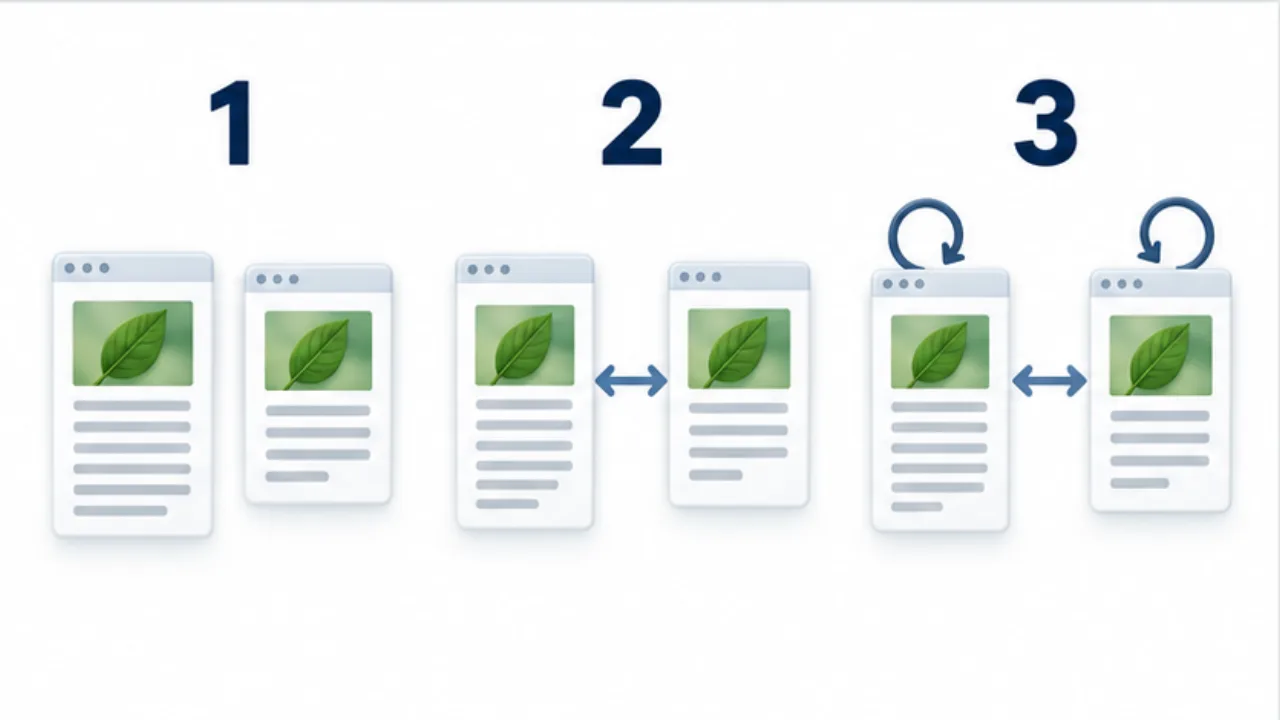
Select the image to enlarge.
- Publish corresponding article bodies at separate URLs.
- Point language buttons to the equivalent article in the other language.
- Check hreflang references to each page itself and its counterpart.
Complete three separate parts
Language content, user-facing switching links, and search annotations are distinct components. One does not automatically create the others. Translated navigation alone does not establish an English article.
Maintain a list of paired URLs with publication state. Use it as the common reference for both switching destinations and annotations. Check that links do not lead to a different article in the same category or an edition that has not been published.
Example: switch languages while reading an article
Suppose a reader studying a Japanese PDF guide selects EN. The expected destination is the corresponding English guide. Returning only to the English homepage makes the reader search for the same topic again.
On the English article, inspect the title, headings, contents links, and related-reading labels as well as the body. Check that JA returns to the same Japanese article.
Open both addresses directly too. A previous language preference or routing condition should not prevent access to the intended edition. Treat direct entry and the language button as separate paths to test.
Review one pair at a time
| Component | Intended condition |
|---|---|
| Content | Each language communicates the meaning and material conditions |
| Language button | Leads to the corresponding topic |
| Canonical | Matches the design of that published page |
| hreflang | Identifies self and counterpart reciprocally |
| Article index | Makes each edition discoverable through normal links |
If an edition is an adaptation or summary, review whether omitted conditions change the conclusion. Word-for-word matching is not the only possible editorial approach, but the important meaning should remain aligned.
When revising an article, review its pair together. Correct annotations cannot compensate for one body describing an obsolete procedure.
A completed multilingual update therefore includes the actual reading material and its metadata. This makes the relationship useful to a person who switches languages, as well as understandable to systems interpreting the site's language editions.