Shop signs and printing
Separate a booking request from a confirmed reservation

A booking QR code does not explain whether submitting a request guarantees a reservation. Draft the process before designing the sign.
On this page
Choose the entry point
Specify phone, form, or in-person booking. If more than one route is offered, distinguish their hours or purposes and remove unused template contact details.
Agree on required information
Confirm which details staff actually need, such as the requested time and party size. Collect personal information through the intended booking channel rather than an openly displayed list.
Explain confirmation
For a request-and-reply workflow, an original example is: “Submit your request using [channel]. Your reservation is confirmed when you receive our confirmation.” Adapt this for an instant-booking system.
Test the complete path
Scan the printed code, inspect the destination, and compare its conditions with the sign. Preserve the QR margin described by DENSO WAVE. Use an agreed test process that does not accidentally occupy a real booking slot.
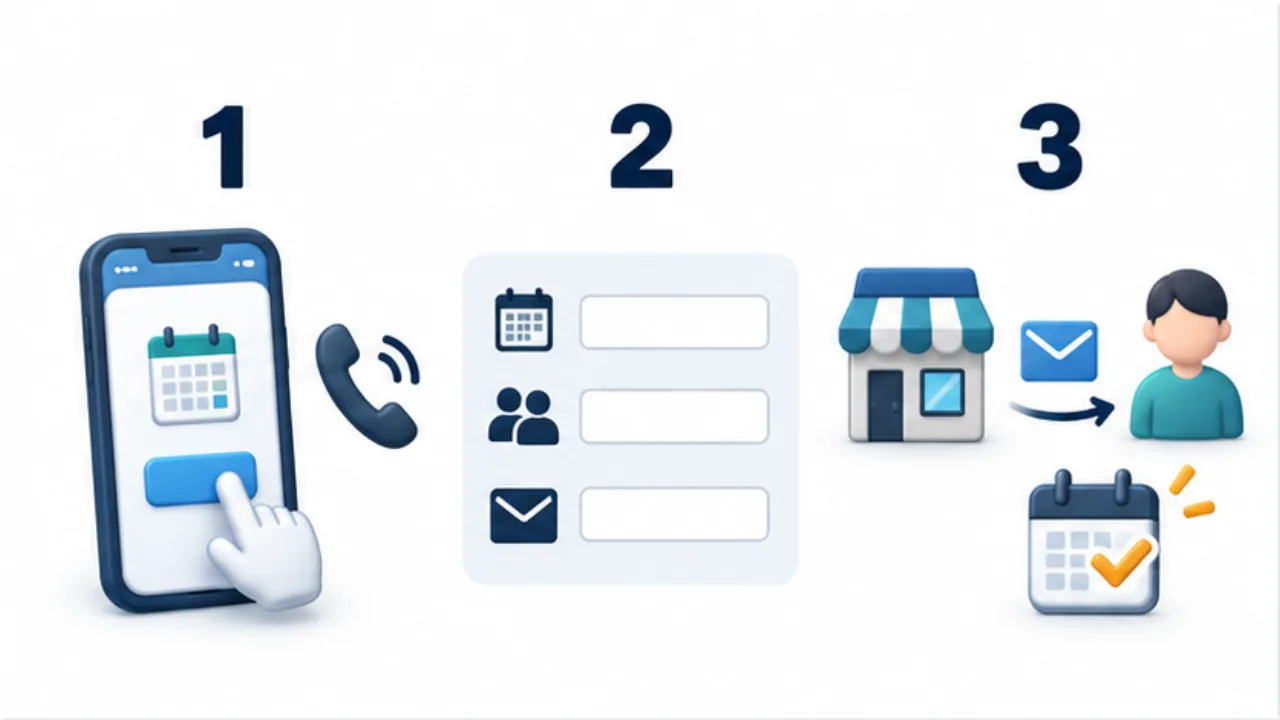
Select the image to enlarge.
- Publish the actual phone number, form, or other application channel.
- List the necessary details, such as preferred time and party size.
- Explain the real confirmation condition, including whether a reply is required.
Explain what happens after submission
A prominent QR code is only the entry point. A customer also needs to know whether to wait for a reply or whether the reservation is already confirmed. Write one sentence describing confirmation according to the actual system and staff process.
An instant-booking service and a manually reviewed request have different meanings despite similar buttons. The sign need not describe every screen, but the confirmation point and a usable follow-up route should be clear. Do not invent a response deadline merely to make the wording sound definite.
Example: a booking confirmed by a staff reply
Suppose the form collects preferred times and a staff member confirms the booking afterward. An adaptable headline is “Request a reservation.” Beside the code, you could write: “Submitting this form does not confirm your reservation. Please wait for our confirmation.”
Use that wording only for the corresponding workflow. Then identify the route for changes. Resubmitting the new-booking form may leave staff unsure whether a customer is replacing or duplicating a request.
Match the printed notice, form instructions, and post-submission message. Read them in sequence as an applicant and check that “confirmed” retains the same meaning throughout.
Reconcile promises with the receiving process
| Printed information | Operational check |
|---|---|
| Booking channel | It is currently monitored and used |
| Required details | Form fields supply the information staff need |
| Confirmation point | It matches the system or actual reply process |
| Change contact | Responsibility and handling are established |
Agree on a test method that does not occupy a real customer slot. Track the stages separately: printed-code scan, form content, post-submission display, and staff-side receipt.
If an alternative is offered for people without a smartphone, explain the same confirmation conditions through that route. The sign should connect the customer to an understandable process, not merely to an input screen whose outcome remains ambiguous.