Shop signs and printing
Track when temporary signs should be removed
Temporary signs need an end-of-use process as well as a design file. Pair the editable source with a small display register.
On this page
Keep a short register
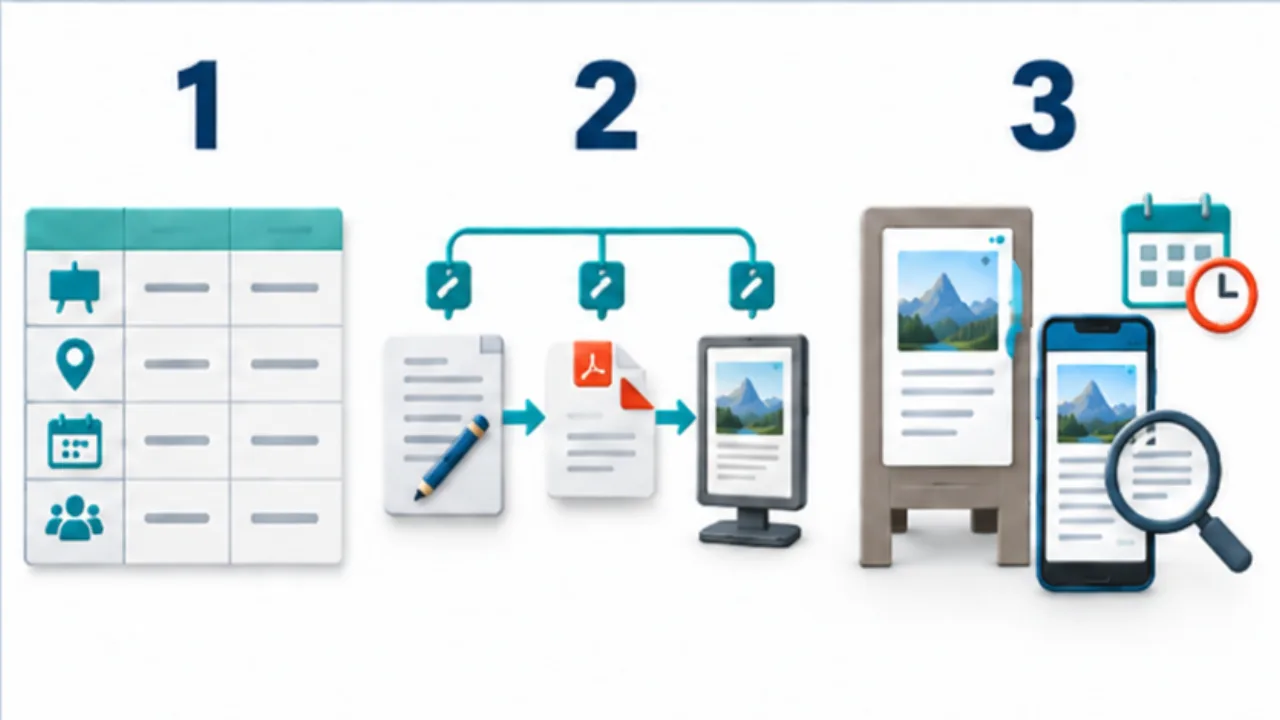
An original template records the sign name, location, start date, removal or review date, and owner. If the end date is unknown, record a review date instead of leaving it blank.
Link source and print versions
Use a shared name or version for the editable file and approved PDF. Keep internal ownership notes off the public sign.
Include online copies
Record booking pages or map listings that repeat the same announcement. Some services distinguish special hours from normal hours; check the dated exception and the schedule that remains afterward.
Add an opening-time check
Include temporary notices in the shop's opening routine. Mark removal as complete, or verify content before extending the display. When reusing last year's artwork, recheck dates and weekdays rather than copying them unchanged.
Select the image to enlarge.
- Record the notice, location, dates or next review, and responsible person.
- Associate the editable source with the print version.
- List online placements too and review what remains after the period ends.
Record the next action, not only a date
A date in a register does not establish what should happen then. Add a short action such as remove, restore the normal version, or review whether the notice should continue. For an unknown end date, choose a review date and a responsible decision-maker.
Some notices end by time; others depend on stock or operating conditions. Distinguish those triggers instead of forcing every item into the same expiry field. The register exists to make the next responsibility visible.
Example: retire a seasonal product announcement
Suppose the announcement appears at the entrance, on a shelf, and online. Record all three locations under the campaign name.
When sales end, check the paper removal and online update separately. Completing one location should not mark the entire announcement finished.
For reuse the following year, recheck the product, price, dates, weekdays, and photograph. Create the new version from the editable source and identify its approved output. Do not simply reprint last year's PDF.
Keep internal revision notes separate from the customer-facing artwork while preserving enough information for the next editor.
Use a small set of meaningful states
| State | Next action |
|---|---|
| In preparation | Verify product details and period |
| Displayed | Confirm the intended locations |
| Awaiting end or review | Follow the recorded trigger |
| Being replaced | Check every publication location |
| Complete | Record removal or update results |
When handing work to another person, include the installed locations and next action, not only a file path.
If an opening-time walk reveals an old notice, update the register as well as fixing the display. That adds the previously missed location to the next review.
The useful record follows the announcement across its physical and online copies. It prevents a completed print job from being mistaken for a completed lifecycle, and makes reuse a deliberate revision rather than an accidental return of outdated details.