Website basics
Test a contact form through to actual receipt

A success message does not prove that the responsible person received a contact request. Test the whole path on a form you manage.
On this page
Agree on the test
Choose a recipient who can verify receipt and use clearly identified test content. Use controlled reply addresses rather than customer information.
Exercise validation
Try missing required fields, an invalid email format, and ordinary multiline text. Check whether errors identify the field and preserve useful input. Client-side checks do not replace server-side validation.
Verify delivery and reply handling
Inspect the completion screen, actual inbox, spam handling, and reply address. Compare attachment behavior with stated limits if attachments are supported. A failed submission must not appear successful.
Test another input path
Complete the form on a phone and with a keyboard. Record the tested version and outcome, then handle test records under the site's retention process.
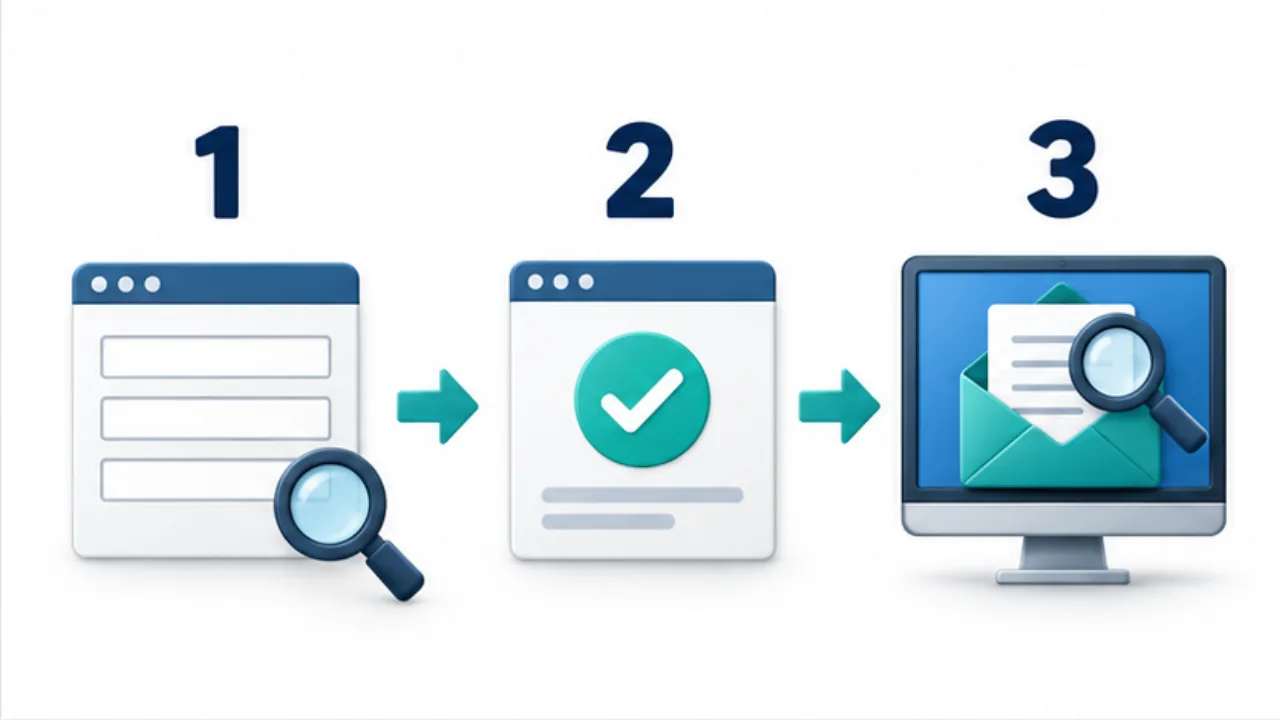
Select the image to enlarge.
- Submit identifiable test content using an address you control.
- Check that the result screen reflects success or failure correctly.
- Inspect the received message and reply address in the managed inbox.
Follow the processing around the success screen
An inquiry moves from input through sending to an operator who can act on it. The completion screen communicates a result, but it is a different stage from visible receipt in an inbox or management system.
Use one identifiable test message to trace that route. If automatic replies exist, separate the operator notification from the sender's copy. Receipt of one does not establish the other.
Example: test a question about business hours
Suppose you submit a short, clearly labeled test inquiry through a form you manage. Include ordinary multiline text and use controlled identity and reply-address information.
Inspect the input or review screen, then record the post-submission result. At the responsible recipient's destination, locate the same identifier and compare body text, line breaks, and reply address.
If an automatic acknowledgment exists, inspect the controlled sender account separately. Limit reply tests to agreed participants; do not use a real customer's address for convenience.
If the message fails, identify whether it reached submission processing, notification handling, or the receiving location. These stages support different investigations.
Review outcomes beyond success
| Situation | Information the user needs |
|---|---|
| Required field missing | Which field needs completion |
| Invalid format | What should be corrected |
| Submission failure | That it did not complete and how to proceed |
| Submitted | What response process follows |
Test whether someone can continue after an error. On a phone, check that an error is not obscured by the keyboard. With keyboard navigation, check that the relevant field remains reachable.
When notification destinations or form configuration change later, repeat the affected route checks. The useful endpoint is a responsible person being able to receive and handle the inquiry, not only a convincing success message in the browser.