Notes and writing
Choose between folders, tags, and search

Give each organizing tool a clear job instead of filing every note three different ways.
On this page
Organization is useful when it helps you retrieve material or control how it is handled. A visually tidy folder tree is not the only way to achieve that. Start with the questions you need your notes to answer.
Use folders for stable boundaries
Folders work well when separation itself matters: work and personal records, different clients, or a project archive. Access permissions and organizational rules can also require a boundary. Deep nesting becomes less attractive when a note legitimately belongs to several topics.
Use tags for overlapping views
A tag can group notes that live in different places, such as interviews awaiting review. Agree on what each tag means. If “idea,” “ideas,” and “proposal” describe the same state, the view may become incomplete unless you use them consistently.
Start with the distinctions you actually filter by. Adding a tag to every noun can create maintenance work without making retrieval easier.
Use search for remembered details
Names, dates, error messages, and distinctive phrases are useful search clues. Search depends on what the app indexes, so check attachment support, excluded folders, and archived material. A failure to find a known note is not automatically a writing problem.
Combine the tools with a small trial
Keep essential folder boundaries, choose a few meaningful tags, and add searchable context to new notes. Try retrieving several kinds of material, including an old decision and an attachment. Observe where retrieval fails before reorganizing everything.
A project folder can hold a chronological daily log, while tags identify items needing follow-up and search finds a supplier's name. These tools can complement one another when their responsibilities are explicit.
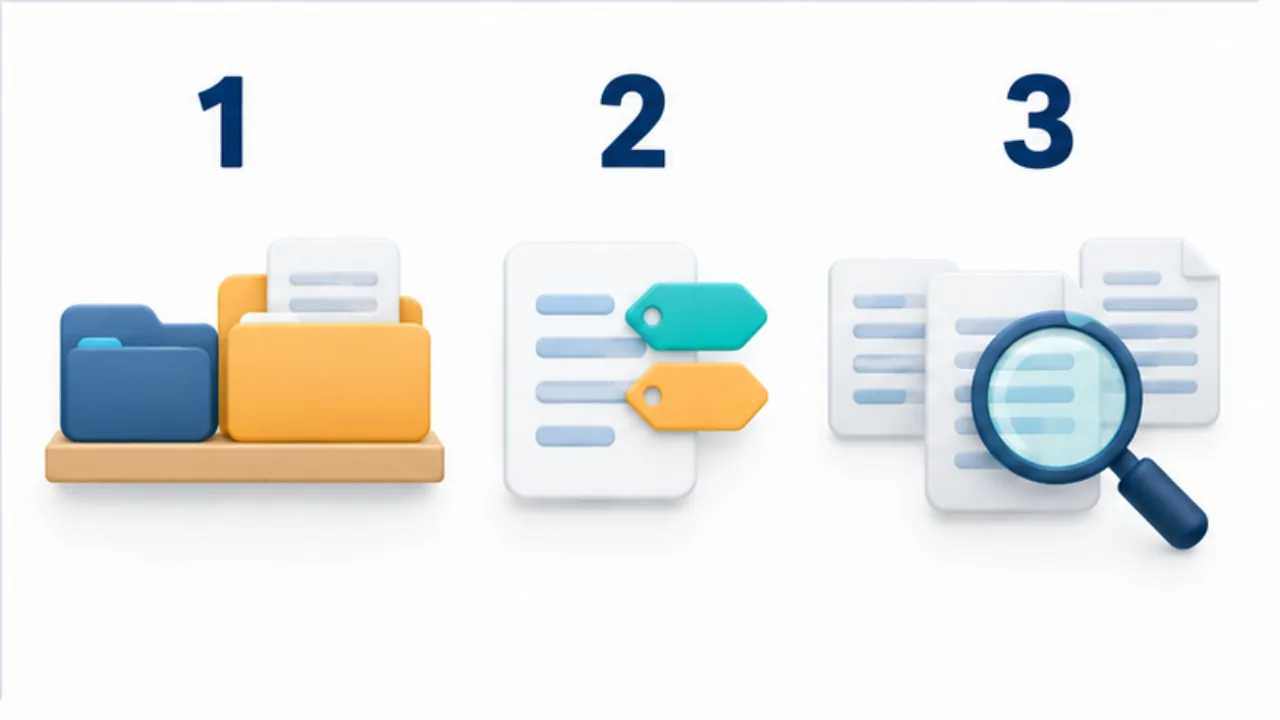
Select the image to enlarge.
- Folders make groupings and locations visible.
- Tags attach several perspectives to the same note.
- Search uses words and context retained in the note.
Example: give each tool a different responsibility
Imagine a shop-refurbishment project. Work material needs a separate storage boundary from personal notes, so retain an appropriate work location. Keep meeting notes chronologically inside it, and apply an “Awaiting review” tag only where that status is useful.
To retrieve correspondence with a particular supplier, search the supplier's name in the text. Here the folder controls the storage boundary, the tag supports a review view, and search retrieves remembered detail.
These are not three copies of the same classification. When review finishes, update the status tag. Whether the supplier also needs a tag depends on whether you actually use that separate view.
Check for duplicated purposes before adding structure
| Proposed addition | Question first |
|---|---|
| Project folder | Is it needed as a storage or sharing boundary? |
| Project-name tag | Does it create a view different from the folder or search? |
| Status tag | Who updates it, and what action uses it? |
| Search alias | Do people actually search using that name? |
| Index page | Will it help when a keyword is not remembered? |
Before flattening an existing archive, try the changed process on new notes. Inspect whether moving folders affects shared access or links. You can test another entry point without reorganizing historical material first.
Also review whether a found document can be identified as the appropriate revision. A formal procedure or shared record may need ownership and approval information beyond retrieval.
Personal capture and shared-document responsibility are related but different needs. Assign each organizing feature a job and test whether it performs that job. There is no universal folder count or tag limit that proves an arrangement fits every collection. Let actual retrieval, maintenance, and handling requirements determine the useful combination.