Notes and writing
Move between note apps without losing the details

Rehearse an export and import, check attachments and links, and keep the original until the new copy is verified.
On this page
Moving notes is more than copying visible text. Dates, attachments, tags, and links can be represented differently in the destination. A small rehearsal can reveal those differences before you move your active work.
Inventory what matters
List the features you need to preserve: text, images, PDFs, creation dates, internal links, tags, and shared access. Check the source app's export formats and the destination's supported imports. A readable archive is useful even when it cannot reproduce every feature of the original app.
Test representative notes
Choose examples with different structures, including a long note, an attachment, non-English text, and a link to another note. Export and import this sample. Open the result rather than relying on a successful completion message.
Record what changed. An image may have become a separate file, a date may reflect the import, or a link may still point to the old service.
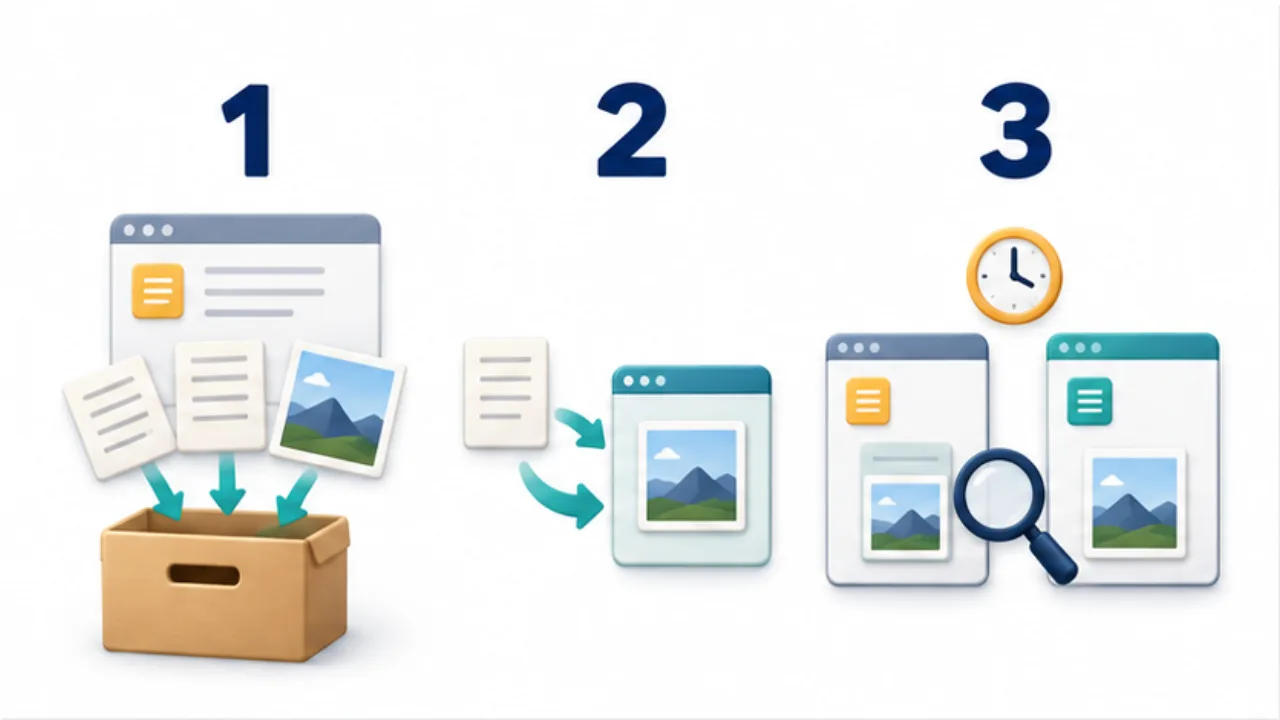
Select the image to enlarge.
- Check official support and export the source data.
- Import representative notes into the destination.
- Compare text, attachments, dates, and structure while retaining the source.
Decide where new writing belongs
During the transition, choose one app for new notes. Keeping both writable without a clear rule can create conflicting versions. If you must edit an old note, track which copy contains the latest changes.
Retain an independent backup before attempting a large import. If repeating the import, determine whether the tool updates existing notes or creates duplicates.
Retire the old service carefully
Verify important content in the new app and test the archive in an appropriate viewer. Do not cancel access or erase the original merely because a sample succeeded. Keep the old material available for a transition period suited to your work.
For the recovery side of the process, see backing up notes.
Distinguish acceptable changes from lost meaning
A destination does not have to look exactly like the old app. The question is whether the information and the uses that matter still work. In a fictional reading note, losing a colored border may be acceptable; losing the distinction between a quotation and your interpretation may not be.
| Change | Possible judgment | Next check |
|---|---|---|
| Heading color changes | Acceptable if the hierarchy remains clear | Can you navigate by heading? |
| Quotation styling disappears | Meaning may become ambiguous | Add a quotation label or supported formatting |
| Creation date becomes import date | Original dates matter for a diary | Preserve the date in an appropriate field or the text |
| Attachment still points to the old service | Access after cancellation is uncertain | Save the file itself and check its reference |
Record these decisions so the full transfer does not require you to reconsider each difference. A successful sample still says little about formats it did not include. Inspect suitable examples again when moving a group with different kinds of content.
Make a stopped transfer possible to resume
For a large migration, record the range moved, export time, destination, and verification result. Source identifiers and counts can help distinguish notes that share a title.
If an import stops, determine what arrived before running it again. A separate migration folder or destination makes it easier to inspect results without confusing them with everyday records. Before removing an incomplete import, confirm that the source and a verified independent copy remain available.
Notes connected by internal links may need to be imported together. Do not split them into smaller batches merely for convenience if the importer's documented procedure requires the complete group. A staged migration is about knowing what succeeded and where to resume, not about making every batch as small as possible.
At the end, verify both the content and how you will continue writing. A technically successful import is incomplete if new edits still go unpredictably into two competing copies.