Phones and computers
Send a photo without unintended quality changes

First distinguish a small preview from an altered image file. Also clarify whether the recipient needs the original capture or an edited delivery version.
On this page
Compare actual files
Check dimensions, format, and size on both sides. Open the received attachment rather than judging its chat thumbnail. Inspect details even when pixel dimensions match.
Review delivery options
Sending an image and attaching a file can invoke different processing. iPhone photo sharing provides format and information options, but their availability depends on the sharing route.
Define the intended version
An unedited original and a cropped or color-adjusted version serve different purposes. Decide separately whether metadata or editing history should be included. More information is not always preferable.
Test a representative photo
Confirm that the recipient can print, publish, or edit the sample as intended. Those uses require different properties. Once the result is accepted, use the same verified route for the remaining photos.
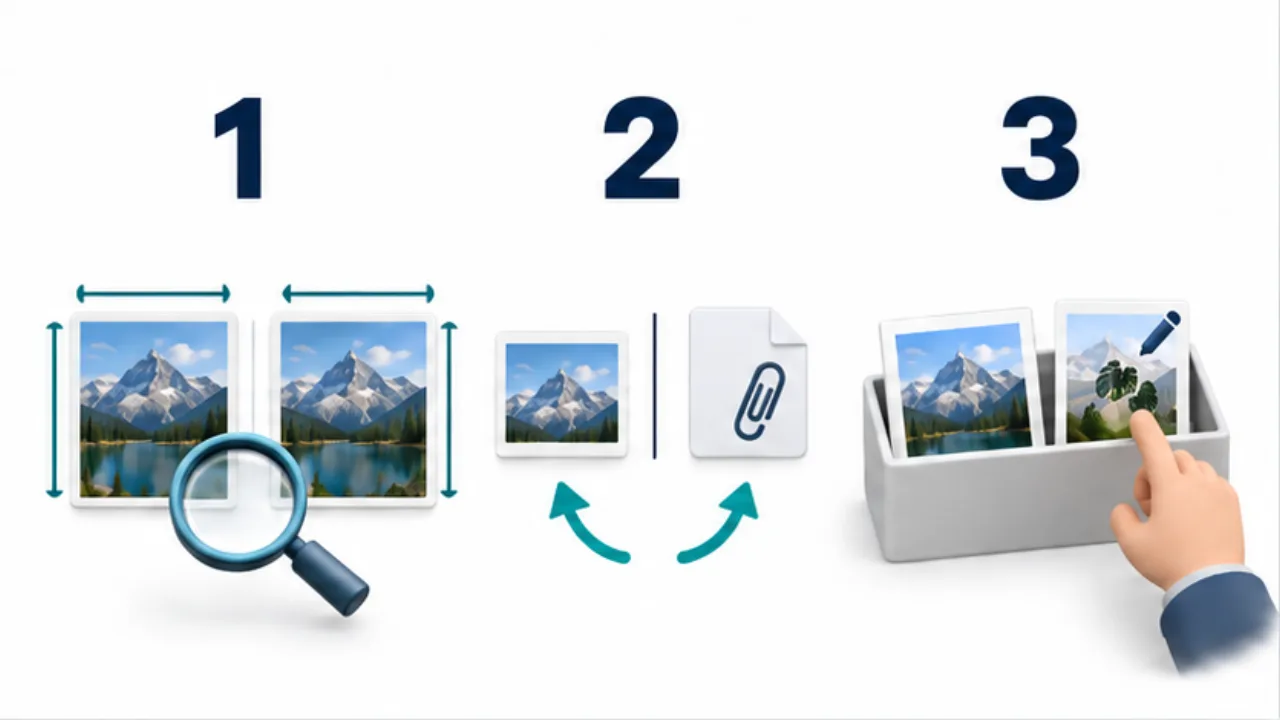
Select the image to enlarge.
- Compare dimensions, format, and detail with the source.
- Check how the chosen photo or file-sharing option handles the image.
- Distinguish the original from the edited version the recipient needs.
Translate “original quality” into a requirement
The phrase can mean different things. Someone printing a photograph may need fine detail. A publishing editor may need the approved crop and color treatment. Another editor may need material from before those adjustments.
Ask what happens next, then review dimensions, format, appearance, and accompanying information separately. Returning everything to the capture state is not always the goal. If an approved finished image is required, choose a route that preserves that version appropriately.
Example: deliver approved product photographs
Suppose a publishing colleague needs photographs whose colors and crops are already approved. Gather those versions in one folder and keep unused capture candidates outside the selection.
Send a representative image first. Have the recipient save and open the actual file, then compare its dimensions, relevant detail, and composition with the approved source.
If it looks worse only on the receiving side, determine whether the person is viewing a small preview or a changed delivery file. When comparing different sending options, use the same photograph so you can attribute differences to the route rather than the subject. Send the remaining selection after establishing a suitable result.
Use the comparison to choose the next check
| Finding | Next area to inspect |
|---|---|
| Only the preview is small | Display of the saved file |
| Pixel dimensions decreased | Resize or export choices during sending |
| Composition differs | Selection of original versus edited version |
| Unnecessary information is included | Accompanying information in the share |
Keep the whole sequence consistent: the selected version, the sending route, and the receiving inspection. A successful test through one application does not describe every other route.
If the received photograph is edited again, identify it as a new version before redistribution. Clear naming helps avoid a later argument about “quality” that is actually a comparison between different crops or editing states. The useful result is an image fit for the recipient's next task, with the intended information preserved.