Notes and writing
Separate thoughts with a simple boundary

Use a line or note break when the topic changes, and add a short label so each piece remains understandable later.
On this page
You do not always know the right folder for a thought while writing it. A boundary gives it a smaller, immediate structure: this topic ends here, and the next one begins below it. The method is a suggested writing habit, not a measured productivity guarantee.
Mark the change of topic
Write freely until you move to another subject. Insert a visible separator or use your app's note-break command. In a Markdown editor, a line containing three hyphens can render as a thematic break; blank lines around it help distinguish it from heading syntax.
An app may give a separator a stronger meaning, such as starting a new note. Check its behavior before assuming it is merely a decorative rule.
Add a short label
Put a concrete clue at the beginning of the new section: “Acme: delivery question” or “Reading: chapter on memory.” The label should help you recognize the material without rereading the entire page. It does not need to become a formal title.
Keep the original context
A sequence of sections preserves the order in which ideas appeared. If one section becomes a project, copy or link it into a dedicated note while leaving a pointer behind. A deadline still needs a reminder; a separator alone does not manage tasks.
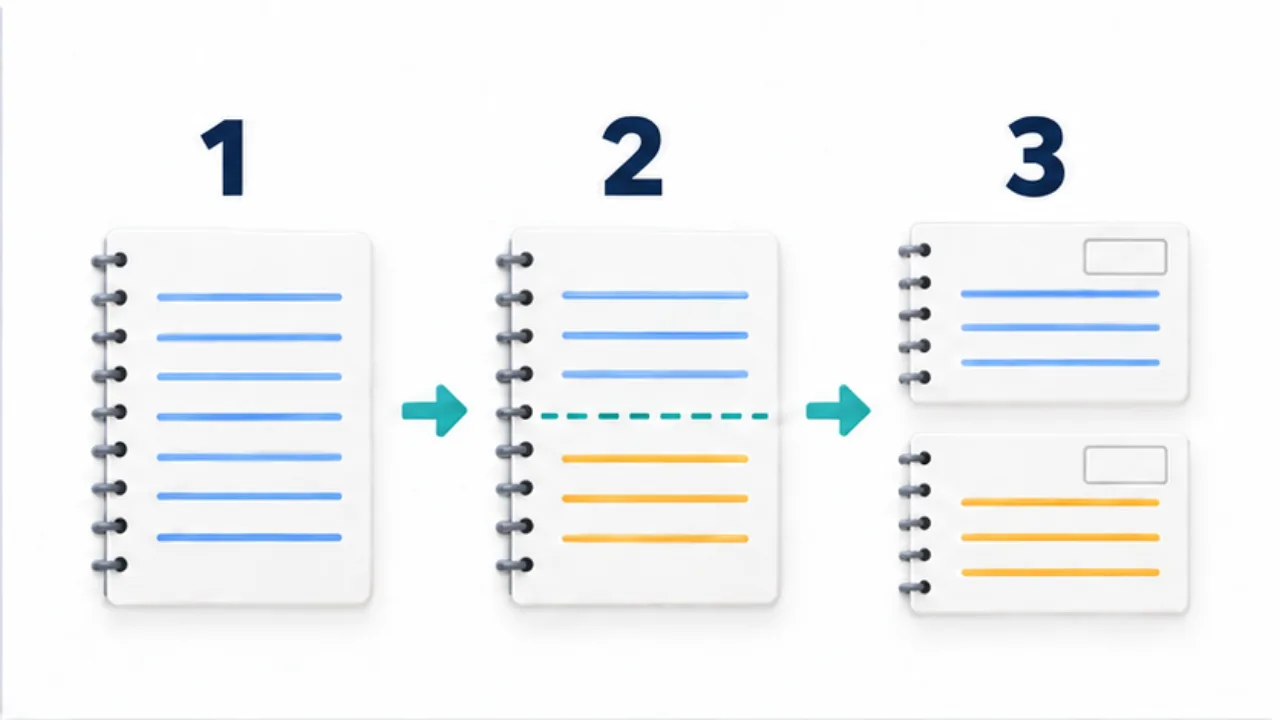
Select the image to enlarge.
- Write the current topic as one unit.
- Insert a boundary when the topic changes.
- Begin the next note after that boundary.
Review only what needs attention
When revisiting the page, scan labels first. Expand the sections that remain relevant, and leave the rest as a record. If the page becomes hard to navigate, split out long material. The boundary is useful only if it reduces friction in your actual app and workflow.
For a date-based version, see daily notes.
Keep the subject clear on both sides of a boundary
Imagine a meeting note that contains “quote by Friday,” “postponed until next month,” and “check the additional cost.” If these refer to different projects, adding lines will not recover the missing subjects. Start each section with the project or person it concerns.
| Section | Opening clue | Context to retain |
|---|---|---|
| Acme quote | Acme: quote conditions | What must be checked by Friday |
| Shop refurbishment | Shop name: schedule | What was postponed and what remains undecided |
| Another supplier's work | Supplier name: additional work | Who should clarify which cost |
With those clues, a search result showing only one section is less likely to make a deadline appear to belong to another project. Repeat the project name when a discussion returns to it. “Continuing the earlier topic” may stop making sense once the section is viewed on its own.
Do not split reasoning so finely that the conclusion loses its conditions. If a decision becomes a separate section, carry over its important constraint or leave a reference to the discussion that supports it.
Check what the application does with a boundary
A visible horizontal line can be decoration within a document or a command that begins another note. Test the behavior with two short sample entries before relying on it for important records. Look at search results, sorting, and exported output. Also check what happens when the boundary is removed and how dates are retained.
This is an initial check, not a procedure to repeat every time you write. Understanding the behavior helps avoid merging separate records merely to tidy their appearance. An application's note break need not behave like a Markdown thematic rule.
When moving to another tool, inspect whether labels and boundaries survive. If the destination loses them, use headings or another readable structure before migrating the collection. The purpose is not to preserve a particular line character; it is to let the next reader tell where each topic begins and ends.