Files, images, and PDFs
Verify a file after copying it

A completed copy does not prove that you selected the intended file. Verify identity and usability, then compare content hashes when the task warrants it.
On this page
Record the selection
Note the source folder, expected files, and count. Check for temporary or private files that should not be included. Avoid editing the source during the comparison so the reference remains clear.
Open the destination copy
Inspect images, PDF page counts and endings, or extracted archive contents as appropriate. If cloud placeholders are involved, confirm that the actual data is available where needed.
Compare hashes
Calculate source and destination hashes using the same algorithm. PowerShell offers Get-FileHash for this purpose. Compare corresponding files, not just a pair with similar names. A difference calls for investigation of selection, modification, or transfer problems.
Keep the conclusion specific
Matching content hashes help establish that the compared bytes agree. They do not tell you that the recipient is correct, the document's claims are accurate, or an unknown download is trustworthy. Verify those questions separately before deciding what to do with the original.
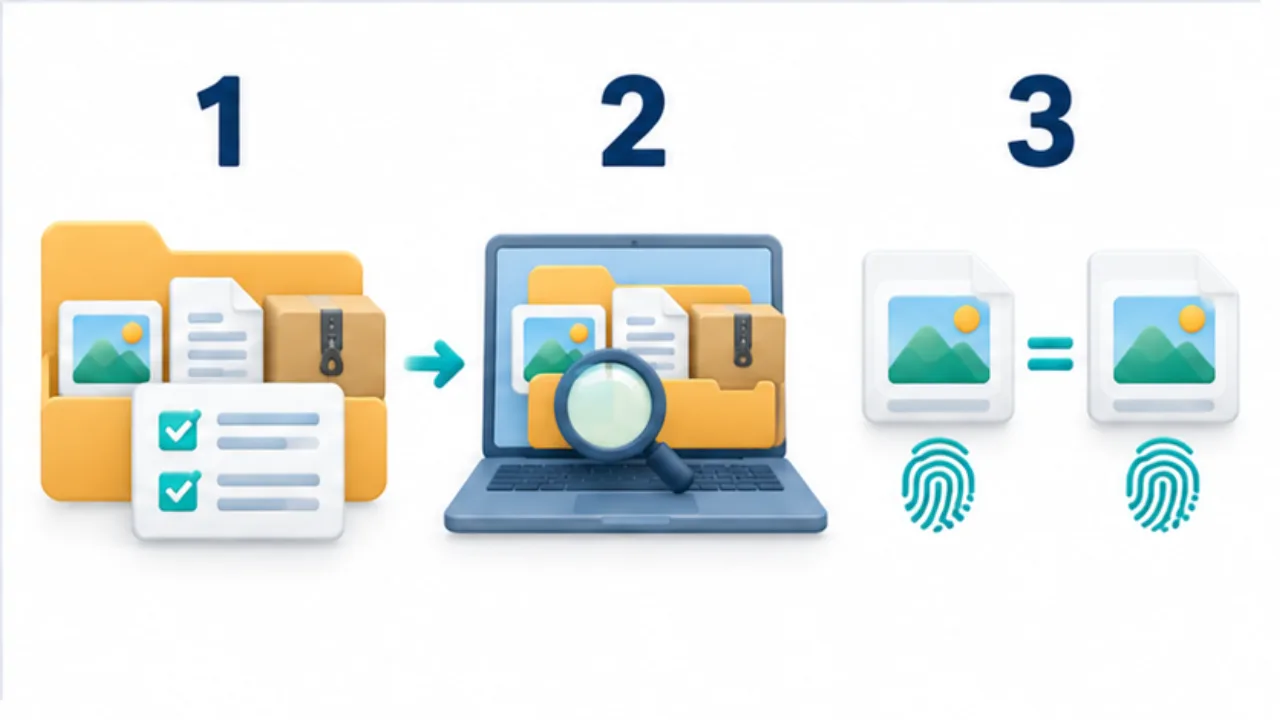
Select the image to enlarge.
- Record which files and how many are being copied.
- Open files from the destination and inspect what arrived.
- Where needed, compare hashes calculated with the same algorithm.
Separate the questions behind “complete”
A transfer status reports that an operation finished. It does not answer whether you selected the current revision, included every required attachment, or produced files the recipient can use.
Organize verification into selection, content agreement, and usability. An obsolete quotation can be copied perfectly. Its hashes may match, while the wrong-version problem remains. Establish which source is authoritative before performing a technical comparison.
Example: move a document package to another device
Suppose the package contains an explanatory PDF and a folder of images. Before copying, record the expected structure and remove unrelated working copies from the selection. Keep that selected package unchanged during the transfer and identify the destination folder clearly.
First compare filenames and counts. Then inspect the beginning and end of the PDF, plus image orientation and relevant detail. When content agreement needs stronger checking, compare corresponding source and destination hashes using the same algorithm.
A mismatch is a reason to investigate, not a complete diagnosis of a failed transfer. Ask whether the source changed, whether the sending application converted a file, and whether you compared the intended pair. These possibilities require different corrections.
Return to the stage indicated by the problem
| Finding | Stage to investigate |
|---|---|
| Files are missing | Selection and folder structure |
| Matching names contain different data | Revision choice, updates, or conversion |
| Contents agree but the file will not open | Receiving application and format support |
| The file opens but is the wrong document | Choice of material to deliver |
If you retain hashes, record the filename, comparison point, and algorithm alongside them. An isolated string cannot tell a future reviewer which copy it describes.
Keep the original package available while verification is incomplete. It provides a route back if you need to add a missing file or export another format. Decide how to organize the source afterward based on the delivery's practical completion, rather than the transfer notification alone.