Keyboards and terminals
Understand modifier keys on a phone terminal
Learn why Control, Alt, Shift, and Command are more than printed characters, and trace which application receives a shortcut.
On this page
Typing the letters “Ctrl” does not send a Control shortcut. A modifier changes how another key event is interpreted. This distinction matters when a phone keyboard is used to control a desktop application or terminal.
Distinguish text from key events
A software keyboard can commit text through an input method, send key events, or provide dedicated controls for terminal actions. The receiving application determines what those inputs do. A visible Control button is useful only if it sends what your client expects.
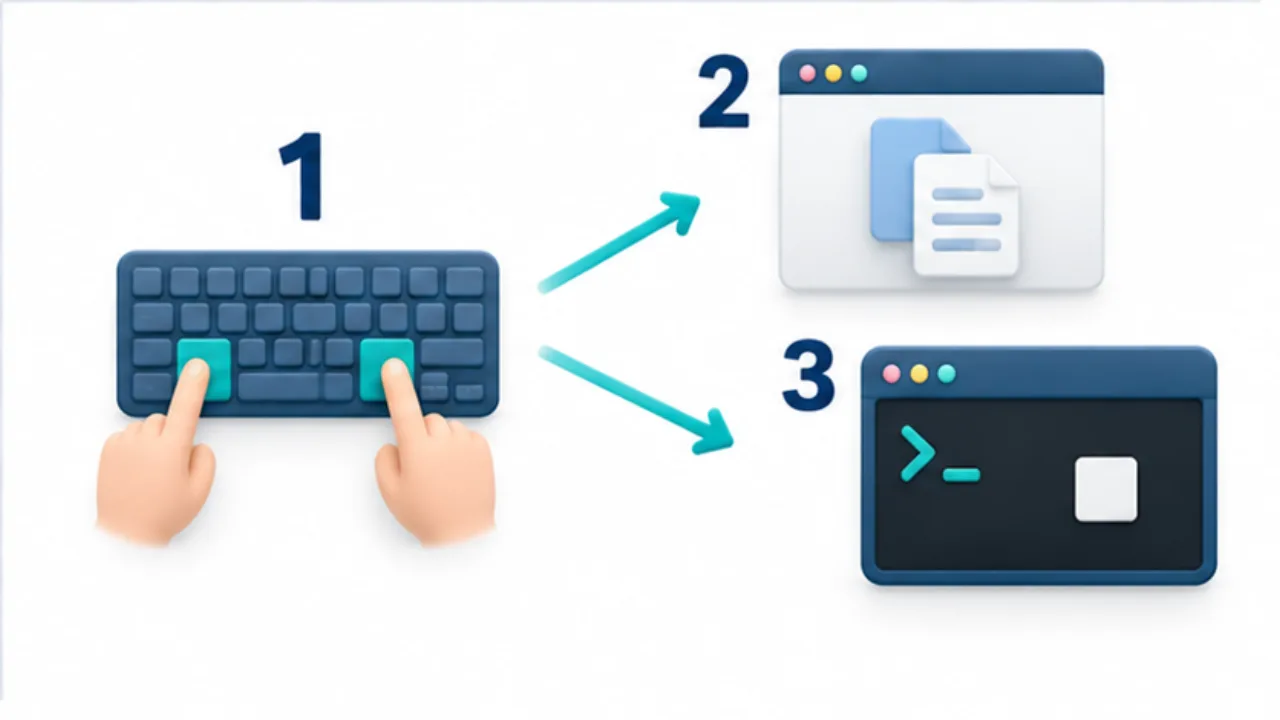
Select the image to enlarge.
- Combine the modifier’s held state with another key press.
- A GUI app interprets the combination through its shortcut handling.
- A terminal also involves control characters and the running context.
Test one combination at a time
Shift commonly changes the character or selection action. Control, Alt, and Command have platform- and application-specific roles. On macOS, many application shortcuts use Command, while terminal programs still use Control sequences.
Traditional terminal encodings associate some combinations with control characters, but modern keyboard protocols and application settings can alter how keys are represented. Do not assume every apparent equivalent behaves identically everywhere.
Trace the receiving layer
Input can pass through Android, the keyboard, an SSH client, tmux, and the final program. A shortcut may be consumed before reaching its destination. Start with a plain shell, then add the other layers to identify the conflict.
Choose a practical input method
For frequent combinations, compare a software modifier row with a physical keyboard. Check whether modifiers latch for the next key or require simultaneous presses. Test cancellation so a modifier does not remain active unexpectedly.
Use terminal shortcuts as a small practice set, rather than trying every shortcut in a session containing important work.
Test release as well as activation
Do not stop testing after a shortcut succeeds once. Check that ordinary text works immediately afterward. A modifier activated by tapping can have different release behavior from one held down physically.
After using Control, enter normal text in a disposable practice field. If another action occurs instead, inspect the modifier indicator and any lock state. Also examine what happens after changing screens or reconnecting a physical keyboard. “It can send the combination” and “I can keep using it without accidental modifiers” are different criteria.
| Situation | What to observe |
|---|---|
| One use | Whether the modifier clears after the next key |
| Repeated use | Whether its active state remains visible |
| Cancellation | Whether it can be cleared before sending a character |
| Returning to a screen | Whether you can determine its current state |
Different applications do not need identical tap sequences. The useful objective is to understand both activation and cancellation in the tools you actually use.
Name the intended action before pressing the combination
Control+C is easier to reason about when you first name the objective. Copying visible log text calls for the terminal client's selection and copy controls. Requesting interruption of a running operation calls for the input that the active program receives as an interrupt.
Some terminal clients treat shortcuts differently while text is selected. If the result changes unexpectedly, examine the phone's selection and menus as well as the remote application. This helps distinguish interrupting a process when you intended to copy from merely copying text when you intended to interrupt.
For a reproducible report, include the client, connection method, whether text was selected, the active application, and the intended action. That context is more useful than saying only that a modifier failed. It connects the underlying explanation of input routing to a check another person can actually repeat.