Keyboards and terminals
Decide which development tasks fit a phone
Separate local execution from remote control, and choose work that can be reviewed responsibly on a small screen.
On this page
“Development from a phone” can describe local coding, access to a cloud environment, or control of a computer elsewhere. Before trying to move an entire workflow, identify a task that suits the screen and input available.
Choose tasks by review requirements
Checking a job's status, reading a short diff, or clarifying a requirement can be practical. A large visual comparison, complex refactor, or change spanning many files may deserve a larger display. The boundary depends on your project and how confidently you can inspect the result.
There is no universal percentage of development time that can be moved to a phone. Measure the usefulness of the arrangement in your own tasks rather than treating a claimed ratio as a target.
Decide where the work runs
A remote host can retain the repository, tools, and persistent terminal session. Termux provides a local Android environment with different constraints. A hosted development environment adds its own persistence, access, and billing model.
Choose the location before choosing the client, because it determines the connection and storage requirements.
Practice a reconnect
Use a harmless session to test disconnection and reconnection. Confirm that you return to the intended machine, directory, and process. A setup that works on your home network still needs testing under the conditions of external access.
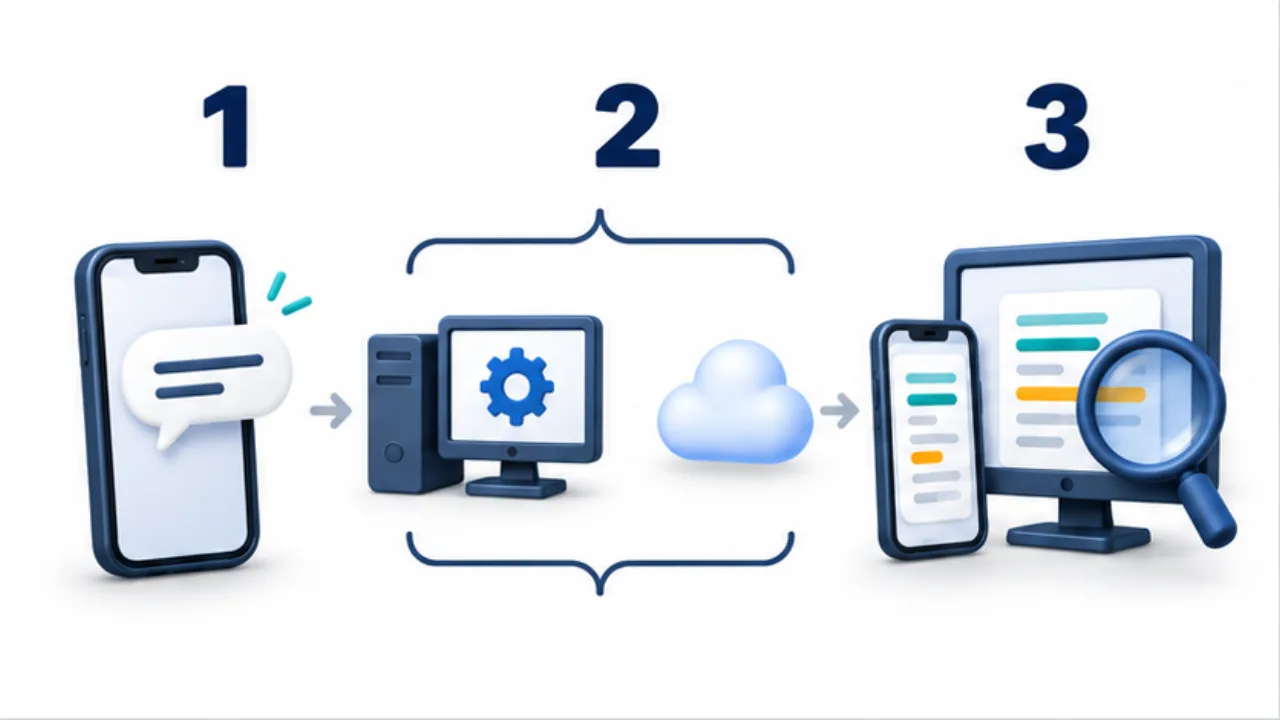
Select the image to enlarge.
- Use the phone to communicate tasks and revisions.
- Know whether processing runs locally, on a host, or in the cloud.
- Inspect changes and results, using a larger screen when needed.
Keep consequential decisions reviewable
Do not compensate for a small screen by accepting unread changes or bypassing approval controls. Save long reviews for a suitable display. Treat remote access credentials and displayed project information with the same care you would on the host.
For a concrete remote-session example, see continuing a coding assistant from a phone.
Complete one small change through verification
To assess phone-based work, take one change all the way to a checked result. Start with a low-impact example in your own practice project, such as correcting explanatory text whose output you can inspect.
Read the target, make the change, inspect the diff, perform the relevant checks, and record the result. Even a text correction needs confirmation that the intended file changed and the displayed content remains intact. A practice task without publication can end at a saved file or local preview.
| Stage | What to evaluate on the phone |
|---|---|
| Read | Understanding the surrounding context |
| Edit | Entering symbols and line breaks correctly |
| Inspect the diff | Detecting unintended changes |
| Verify | Reading evidence of success or failure |
| Record | Handing off unfinished checks |
If editing is easy but the diff is difficult to inspect, verification is the present limit of the arrangement. Improving the keyboard alone may not solve it. Consider moving that stage to another display.
Distinguish an offline draft from a shared change
Separating offline work from connected work makes interruptions easier to plan around. You may be able to outline requirements or draft prose locally, while inspecting current remote code or sharing a change requires a connection.
Writing a proposed correction does not itself update the repository. Track draft, applied to files, checked, and shared as different states. On reconnecting, read the current target before applying the draft; the surrounding code or requirements may have changed.
When several devices hold copies, compare changes before incorporating an older copy into the current one. The useful benefit of a phone is the ability to progress within what you can inspect, not an obligation to finalize every operation anywhere. Recording the boundary between completed work and unresolved checks makes returning to the desktop straightforward.